Introduction
Today, businesses are moving away from traditional on-premises ERP systems in favour of cloud-based ERP solutions. According to market research, cloud ERP adoption in Malaysia continues to grow as organisations embrace digital transformation, seek real-time access to business data, and support hybrid and remote work.
This shift is driven by the flexibility and scalability that cloud-based ERP offers. Unlike traditional ERP systems that require on-site infrastructure, cloud ERP is delivered over the internet, making it easier to deploy, manage, and scale. This guide explains how cloud-based ERP works, its key features, benefits, challenges, and how to choose the right solution for your business.
What is ERP Software?
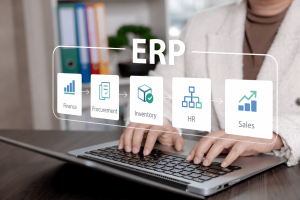
Enterprise Resource Planning (ERP) software is a business management system that brings your core business functions into one platform. Instead of using separate software for finance, inventory, sales, procurement, manufacturing, and HR, an ERP system connects these processes so every department works with the same up-to-date information.
By centralising business data, ERP reduces manual work, improves collaboration among departments, and gives businesses better visibility into their operations.
What is Cloud-Based ERP?
Cloud-based ERP is an ERP system that’s delivered over the internet instead of being installed on a company’s own servers. Businesses simply subscribe to the software and access it through a web browser or mobile app, while the ERP provider manages the hosting, updates, security, and maintenance.
This means businesses spend less time managing IT infrastructure and more time focusing on their operations. Compared to traditional ERP, cloud ERP is also more flexible, scalable, and quicker to deploy.
How Does Cloud ERP Work?

Cloud ERP stores your business applications and data on secure cloud infrastructure instead of relying entirely on servers located within your office. Depending on the deployment model, the system may be delivered as a Software as a Service (SaaS) subscription, hosted in a private cloud, or deployed in a hybrid cloud environment that combines cloud and on-premises infrastructure.
Users access the ERP system through a web browser or mobile app, allowing employees to securely work from the office, home, or while travelling. Once logged in, they can perform tasks based on their roles and permissions. Since all departments share a central database, information is updated in real time across the organisation.
For example, when a sales representative records a new customer order, the ERP system can automatically:
- Update inventory levels
- Generate a sales order
- Notify the warehouse to prepare the shipment
- Create an invoice for the finance team
- Update revenue records and management dashboards
Depending on the deployment model, the ERP provider, cloud hosting provider, or your internal IT team may manage the underlying infrastructure, including:
- Server hosting and maintenance
- Software updates and new features
- Security patches
- Data backups and disaster recovery
This reduces the need for businesses to maintain complex on-premises infrastructure while providing the flexibility to choose a deployment model that best fits their operational, security, and compliance requirements.
Key Features of Cloud-Based ERP

While every ERP platform offers different capabilities, most cloud-based ERP systems include a range of features designed to help businesses manage their operations more efficiently. These features work together on a single platform, giving employees access to accurate, real-time information across departments.
1. Financial Management
Cloud ERP helps businesses manage accounting, budgeting, cash flow, accounts payable, accounts receivable, fixed assets, and financial reporting from one centralised system. This gives finance teams greater visibility into the company’s financial health while reducing manual calculations and reconciliation.
2. Inventory and Warehouse Management
Businesses can monitor inventory levels in real time, track stock movements, manage multiple warehouse locations, and automate stock replenishment. This helps reduce stock shortages, excess inventory, and manual inventory tracking.
3. Sales and Customer Management
Many cloud ERP solutions include customer relationship management (CRM) capabilities or integrate seamlessly with CRM software. Businesses can manage customer information, sales orders, quotations, invoices, and customer interactions from a single platform.
4. Procurement and Purchasing
Procurement modules streamline purchasing by automating purchase requests, approvals, supplier management, purchase orders, and invoice matching. This improves purchasing efficiency while helping businesses control costs.
5. Manufacturing and Production Planning
Manufacturers can plan production schedules, manage bills of materials (BOM), monitor work orders, track production progress, and optimise resource utilisation to improve operational efficiency.
6. Human Resources (HR)
Some cloud ERP platforms include HR modules that help businesses manage employee records, payroll, attendance, leave, recruitment, and performance management.
7. Business Intelligence and Reporting
Cloud ERP systems provide dashboards, reports, and analytics that allow managers to monitor key performance indicators (KPIs), identify trends, and make data-driven decisions using real-time business information.
8. Workflow Automation
Routine business processes such as approvals, invoicing, purchase requests, and notifications can be automated, reducing repetitive work and improving productivity.
9. Mobile and Remote Access
Because cloud ERP is internet-based, authorised users can securely access business information from desktops, laptops, tablets, or smartphones, making collaboration easier across different locations.
10. Security and User Access Controls
Most cloud ERP solutions include role-based permissions, data encryption, multi-factor authentication (MFA), audit trails, and automated backups to help protect sensitive business information.
Types of Cloud ERP Software
Cloud ERP solutions are available in different deployment models to suit varying business needs, budgets, and security requirements.
1. Public Cloud ERP (Multi-Tenant)
Public Cloud ERP is the most common deployment model, especially for small and medium-sized businesses. Multiple organisations share the same cloud infrastructure, while each company’s data remains securely isolated. Instead of purchasing and maintaining the software, businesses access the ERP system online through a monthly or annual subscription.
Many public cloud ERP solutions also allow businesses to extend functionality by adding optional modules or integrations. However, heavily customised integrations may need to be updated or adjusted whenever the ERP provider releases major software updates.
Best for:
- Small and medium-sized businesses (SMEs)
- Growing businesses
- Companies looking to reduce upfront IT costs
Pros:
- Lower upfront costs with subscription-based pricing
- Fast implementation and deployment
- Automatic software updates and security patches
- Easy to scale as your business grows
Considerations:
- Less flexibility for deep customisation than private cloud deployments
- Custom integrations may require updates after major software releases
- Ongoing subscription fees instead of a one-time software purchase
2. Private Cloud ERP (Single-Tenant)
Private Cloud ERP runs in a dedicated cloud environment reserved for a single organisation, giving businesses greater control over security, compliance, and system configuration. Depending on your business needs, the environment can be self-managed by your internal IT team or managed by a third-party provider.
Best for:
- Large enterprises
- Highly regulated industries
- Businesses with strict compliance requirements
Pros:
- Greater control over data and infrastructure
- Enhanced security and privacy
- More customisation options
- Easier to meet regulatory and compliance requirements
Considerations:
- Higher implementation and operating costs than public cloud ERP
- Self-managed deployments require dedicated IT expertise and ongoing maintenance
- Third-party managed deployments reduce the internal IT workload but typically come with higher recurring service costs
3. Hybrid Cloud ERP
Hybrid cloud ERP combines cloud-based applications with existing on-premises systems. Businesses can move selected operations to the cloud while continuing to use legacy software where necessary.
Best for:
- Businesses transitioning gradually to the cloud
- Organisations with existing ERP investments
- Companies requiring both cloud flexibility and on-premises control
Pros:
- Flexible migration strategy
- Reduced disruption
- Allows legacy systems to remain operational
Considerations:
- Can be more complex to manage due to multiple environments.
Why Are Businesses Switching to Cloud ERP?

One of the biggest reasons businesses are adopting Cloud ERP is convenience. Instead of managing servers, software updates, and complex IT infrastructure, businesses can access a fully managed ERP system from anywhere with an internet connection. This allows teams to focus on running the business rather than maintaining technology.
Other key benefits include:
- Greater Convenience: Access your ERP system anytime, anywhere, from a computer, tablet, or mobile device. This makes it easier for remote teams, multiple offices, and employees on the go to stay connected.
- Lower Upfront Costs: Subscription-based pricing eliminates the need for large investments in servers, networking equipment, and software licences.
- Faster Deployment: With the infrastructure already managed by the provider, businesses can implement Cloud ERP much faster than traditional on-premises systems.
- Automatic Updates: Software updates, security patches, and new features are applied automatically, so you always have the latest version without manual upgrades.
- Easy Scalability: Add users, locations, or ERP modules as your business grows without purchasing additional hardware.
- Reduced IT Maintenance: The ERP provider handles server management, backups, security, and system maintenance, reducing the workload for your internal IT team.
- Real-Time Data Access: Employees across different departments work from a shared database, ensuring everyone has access to the latest information. This improves collaboration and supports faster, more informed decision-making.
- Improved Business Continuity: Most cloud ERP providers include automated backups, system redundancy, and disaster recovery measures to minimise downtime and protect business data.
- Better Integration: Many cloud ERP solutions integrate with accounting software, CRM platforms, eCommerce systems, payment gateways, business intelligence tools, and other third-party applications, creating a more connected business ecosystem.
- Supports Business Growth: Whether opening new branches, expanding into new markets, or hiring more employees, cloud ERP provides the flexibility to support evolving business needs without major infrastructure investments.
Challenges to Consider with Cloud-Based ERP
While cloud ERP offers many advantages, it’s important to understand the potential challenges before implementing a new system. Being aware of these considerations can help businesses plan ahead and ensure a smoother transition.
- Internet Dependency: Because cloud ERP is accessed over the internet, a stable and reliable connection is essential. Although most providers offer high system availability, internet outages may temporarily affect access to the platform.
- Ongoing Subscription Costs: Cloud ERP typically requires monthly or annual subscription fees. While this reduces the need for a large upfront investment, businesses should consider the long-term costs as the number of users or modules increases.
- Data Migration: Migrating data from spreadsheets, legacy software, or an existing ERP system can be one of the most time-consuming stages of implementation. Poor-quality or incomplete data may need to be cleaned before migration.
- User Training and Change Management: Implementing a new ERP system often changes how employees perform their daily tasks. In addition to training users on the new system, businesses should have a change management plan to communicate the changes, address employee concerns, and encourage adoption across the organisation.
- Customisation Limitations: Many cloud ERP platforms prioritise standardised processes to simplify maintenance and updates. While configuration options are available, highly customised workflows may require additional development or process changes.
- Integration with Legacy Systems: If your business relies on older software or specialised applications, integrating them with a modern cloud ERP solution may require additional planning, middleware, or custom integrations.
- Data Security and Compliance: While Cloud ERP providers typically offer robust security measures, businesses should ensure the provider meets their security, compliance, and data residency requirements, especially when handling sensitive or regulated information.
Cloud ERP vs On-Premises ERP
Both cloud ERP and on-premises ERP help businesses manage their operations, but they differ significantly in deployment, maintenance, costs, and flexibility. Understanding these differences can help you choose the right solution for your organisation.
Feature | Cloud ERP | On-Premises ERP |
|---|---|---|
Deployment | Hosted by the ERP provider and accessed online | Installed on company-owned servers |
Upfront Cost | Lower initial investment with subscription pricing | Higher upfront costs for software and hardware |
Ongoing Maintenance | Managed by the vendor | Managed by the company’s IT team |
Software Updates | Automatic updates | Manual upgrades required |
Accessibility | Accessible from anywhere with internet access | Usually limited to company networks unless remote access is configured |
Scalability | Easily add users, storage, or modules | Often requires additional hardware and infrastructure |
Implementation Time | Generally faster | Usually longer due to hardware installation and configuration |
IT Resources | Lower internal IT requirements | Higher IT involvement for maintenance and support |
Security | Managed by the provider with regular security updates | Managed internally by the organisation |
Best For | SMEs, growing businesses, and organisations with multiple locations | Businesses requiring complete infrastructure control or strict regulatory compliance |
Which One Is Better?
Neither deployment model is universally better. The right choice depends on your business size, budget, IT resources, security and compliance requirements, and long-term growth plans.
Cloud ERP is suitable for businesses of all sizes, from SMEs to large enterprises, offering scalability, automatic updates, and reduced infrastructure management. On-premises ERP may be a better fit for organisations that require complete control over their infrastructure, extensive customisation, or have strict regulatory and data governance requirements.
Is It Time to Switch to Cloud ERP?
Not every business needs to replace its ERP system immediately. However, if your current software is becoming costly to maintain or limiting productivity, it may be time to consider a cloud ERP solution.
Ask yourself these questions:
- Is your current ERP difficult or expensive to maintain? Frequent manual fixes, upgrades, or server maintenance can increase costs over time.
- Are you using multiple disconnected systems? Managing accounting, inventory, CRM, and purchasing separately often leads to duplicate work and inconsistent data.
- Do your employees need remote access? Cloud ERP lets teams securely access business information from anywhere with an internet connection.
- Is your business growing? A cloud-based system makes it easier to add users, locations, and new features as your business expands.
- Are manual processes slowing your team down? Automating repetitive tasks can improve productivity and reduce errors.
- Are IT maintenance costs increasing? Cloud ERP providers handle hosting, updates, backups, and security, reducing the burden on your internal IT team.
- Do you need better visibility into your business? Real-time dashboards and reports help you make faster, data-driven decisions.
- Are you finding the implementation process overwhelming? If setting up or migrating an ERP system feels complex, working with an experienced ERP implementation partner can make the transition smoother.
If you answered “yes” to several of these questions, it may be time to switch to Cloud ERP. The right solution can streamline operations, improve efficiency, and support your business as it grows.
How to Choose the Right Cloud ERP
Choosing a cloud ERP solution isn’t just about comparing features. The right platform should align with your business processes today while supporting your future growth.
Here are some key factors to consider:
- Understand Your Business Requirements: Identify the challenges you want the ERP system to solve. Whether it’s improving inventory management, automating financial reporting, or streamlining manufacturing, your priorities will help determine which solution best fits your business.
- Consider Industry-Specific Functionality: Some ERP systems are designed for industries such as manufacturing, retail, construction, wholesale distribution, healthcare, or professional services. Choosing an industry-specific solution can reduce the need for extensive customisation.
- Evaluate Scalability: Your ERP system should be able to grow with your business. Look for a solution that allows you to add users, business locations, and modules as your operations expand.
- Check Integration Capabilities: Ensure the ERP integrates with the software you already use, such as CRM platforms, accounting software, eCommerce platforms, payroll systems, or business intelligence tools. Strong integrations improve efficiency and reduce duplicate data entry.
- Review Security Features: Evaluate features such as data encryption, user access controls, multi-factor authentication (MFA), audit logs, compliance certifications, backup procedures, and disaster recovery measures before making a decision.
- Assess Vendor Support: Implementation is only the beginning. Choose a vendor that offers responsive technical support, user training, documentation, and regular product updates.
- Compare the Total Cost of Ownership: Look beyond the subscription fee by considering implementation, training, customisation, integrations, future expansion, and ongoing support costs when comparing ERP providers.
- Request a Product Demonstration: Before making a final decision, request a live demo or free trial. This allows your team to evaluate the system’s usability, workflows, reporting capabilities, and overall suitability for your business.
Conclusion
Research on cloud-based ERP adoption among Malaysian SMEs found that cloud adoption can improve business performance, while having the right implementation partner plays an important role in a successful ERP deployment. Hence, choosing an experienced partner can help you get the most value from your cloud-based ERP investment.
If you’re looking for a certified cloud-based ERP provider for Microsoft Dynamics 365, contact us today. We’ll take the time to understand your business requirements, recommend the right solution, and support you through every stage of your ERP implementation, from planning and configuration to training and ongoing support.
Frequently Asked Questions
1. What is the difference between ERP and cloud ERP?
ERP is a business management system that integrates core business functions such as finance, inventory, procurement, sales, and human resources. Cloud ERP is a type of ERP that is hosted in the cloud and accessed through the internet, instead of relying solely on locally installed infrastructure.
2. Is SaaS ERP secure?
Yes. Reputable SaaS ERP providers invest heavily in security measures such as data encryption, multi-factor authentication (MFA), regular security updates, automated backups, and disaster recovery systems. Businesses should still evaluate a provider’s security certifications, compliance standards, and data protection policies before implementation.
3. What is the typical cost of cloud-based ERP in Malaysia?
Cloud-based ERP pricing in Malaysia varies depending on the vendor, number of users, modules, and implementation complexity. As a general guide, subscription fees typically range from RM100 to RM500 per user per month, although enterprise solutions may cost more.
In addition to the subscription, businesses should budget for implementation costs, which usually start from around RM20,000 for smaller deployments and can exceed RM150,000 for larger, more customised projects.
4. Which businesses benefit the most from cloud ERP?
Cloud ERP is suitable for businesses of almost any size, but it is particularly beneficial for SMEs and growing organisations that want to improve efficiency without investing in expensive IT infrastructure. Industries such as manufacturing, wholesale distribution, retail, logistics, construction, healthcare, and professional services commonly adopt cloud ERP to streamline operations and support future growth.
5. Can cloud ERP integrate with existing business software?
Yes. Most modern cloud ERP platforms integrate with a wide range of business applications, including accounting software, CRM systems, payroll solutions, eCommerce platforms, payment gateways, and business intelligence tools. The available integrations will vary depending on the ERP vendor and the software your business currently uses.