Introduction
There’s always a more efficient way to do things, and for many Malaysian SMEs, that means investing in digital business solutions. As of 2024, SMEs accounted for 96.1% of all businesses in Malaysia, yet research suggests that ERP adoption remains relatively low, despite its ability to help businesses streamline operations and stay connected with customers, suppliers, and other key partners.
As more businesses embrace digital transformation, ERP solutions such as Microsoft Dynamics 365’s Business Central are becoming an increasingly popular choice for SMEs. In this guide, we’ll explore what Microsoft Dynamics 365 ERP is, why businesses use it, its key features, and how it supports different business functions to improve efficiency and drive long-term growth.
What is ERP Software?
Enterprise Resource Planning (ERP) software is a business management solution that integrates core business functions, such as finance, inventory, purchasing, sales, and human resources, into a single platform with a shared database.
By connecting departments and centralizing data, ERP software streamlines workflows, reduces manual processes, and provides real-time visibility into business operations. For example, when a customer places an order, the system can automatically update inventory, trigger purchasing if stock is low, generate an invoice, and provide up-to-date reports, helping businesses operate more efficiently and make informed decisions.
What is Microsoft Dynamics 365 ERP?
Microsoft Dynamics 365 ERP is Microsoft’s enterprise resource planning solution that helps businesses manage core operations, including finance, supply chain, inventory, manufacturing, purchasing, projects, and human resources, through a single integrated platform.
Primarily offered as a cloud-based ERP solution, Microsoft Dynamics 365 gives businesses secure access to their data and applications from anywhere. Depending on business requirements, certain solutions, such as Dynamics 365 Business Central, also support on-premises or hybrid deployments.
One of Dynamics 365 ERP’s key advantages is its seamless integration with the wider Microsoft ecosystem. Businesses can connect Dynamics 365 with tools they already use, including:
- Microsoft 365 applications such as Outlook, Excel, Word, Teams, and SharePoint
- Microsoft Power Platform, including Power BI, Power Apps, Power Automate, and Copilot Studio
- Microsoft Copilot, which combines generative AI for content creation with agentic AI for workflow automation. Read our article on Agentic AI vs Generative AI to learn more about the differences between the two.
- Azure cloud services for security, analytics, and scalability
These integrations allow employees to collaborate more effectively, automate repetitive tasks, gain actionable insights from business data, and make faster decisions using AI-powered assistance.
Why Do Businesses Use Microsoft Dynamics 365 ERP?
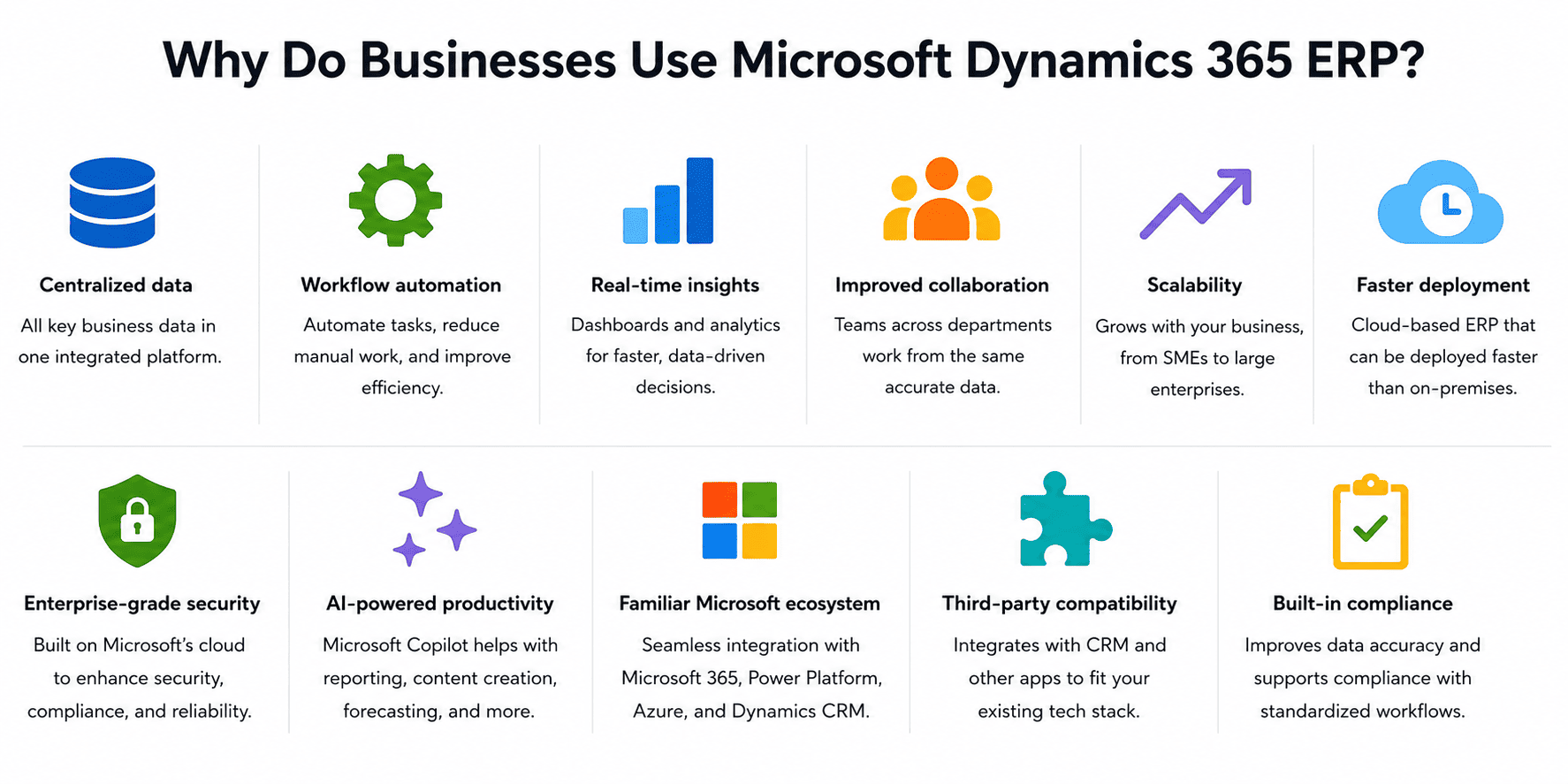
- Centralized data: Brings finance, inventory, sales, procurement, and other business data into a single integrated platform.
- Workflow automation: Automates repetitive tasks, reduces manual data entry, and uses AI and IoT insights to identify operational issues early and improve efficiency.
- Real-time insights: Provides dashboards, analytics, and reporting to support faster, data-driven decisions.
- Improved collaboration: Enables teams across finance, sales, operations, and supply chain to work from the same data.
- Scalability: Supports businesses as they grow, from SMEs to large enterprises.
- Enterprise-grade security: Leverages Microsoft’s cloud infrastructure to enhance security, compliance, and reliability.
- AI-powered productivity: Uses Microsoft Copilot to assist with reporting, content creation, forecasting, and workflow automation.
- Familiar Microsoft ecosystem: Integrates seamlessly with Microsoft 365, Power Platform, and Azure, allowing employees to work within familiar tools while reducing the learning curve.
- Third-party compatibility: Integrates with CRM platforms and other third-party applications, allowing businesses to build a solution that fits their existing technology stack. Explore our guide to CRM software to see how it works alongside ERP.
- Built-in compliance: Improves data accuracy and supports compliance through standardized workflows and centralized record management.
- Faster deployment: Being cloud-based, Dynamics 365 can be deployed faster than traditional on-premises ERP systems.
Key ERP Applications in Microsoft Dynamics 365
Microsoft Dynamics 365 offers several ERP applications designed to meet different business sizes and operational requirements:
ERP Application | Best For | What It Includes |
|---|---|---|
Dynamics 365 Business Central | Small and medium-sized businesses (SMEs) | An all-in-one ERP that combines finance, sales, purchasing, inventory, warehouse management, project management, and operations in a single solution. |
Dynamics 365 Finance | Large enterprises and multinational organizations | Enterprise financial management, including general ledger, accounts payable and receivable, budgeting, financial reporting, tax management, regulatory compliance, and global financial operations. |
Dynamics 365 Supply Chain Management
| Businesses with complex supply chains or manufacturing operations
| Procurement, inventory and warehouse management, demand forecasting, manufacturing, production planning, logistics, asset management, and AI-powered supply chain optimization. |
Dynamics 365 Project Operations | Project-based businesses and service organizations
| Project planning, resource allocation, time and expense tracking, project accounting, billing, budgeting, and profitability analysis. |
Dynamics 365 Commerce | Retailers and omnichannel businesses | Unifies physical stores, e-commerce, point-of-sale (POS), call centers, inventory, and customer experiences across multiple sales channels. |
Dynamics 365 Human Resources
| Organizations managing growing workforces
| Centralizes employee records, leave and benefits management, performance tracking, training, workforce planning, and payroll integration. |
- Choose Dynamics 365 Business Central if: You’re an SME looking for a comprehensive, all-in-one ERP to manage finance, sales, purchasing, inventory, warehouse management, projects, and operations. For most SMEs, Business Central provides everything needed in a single, easy-to-deploy solution.
- Choose Dynamics 365 enterprise applications if: You’re a large organization with complex operations. Depending on your requirements, you can implement specialized applications such as Finance, Supply Chain Management, Project Operations, Commerce, and Human Resources.
Microsoft Dynamics 365 ERP Applications by Department

1. Finance
Automate accounting processes, manage budgets, reconcile transactions, monitor cash flow, and generate financial reports from a centralized platform. AI-powered forecasting and analytics also help improve financial planning and decision-making.
2. Sales
Manage leads, quotations, customer orders, pricing, contracts, and sales performance while maintaining accurate customer records. AI-assisted insights can also help prioritize opportunities and improve sales forecasting.
3. Procurement
Manage supplier relationships, automate purchase approvals, monitor procurement spending, and ensure inventory is replenished on time to support efficient purchasing operations.
4. Inventory and Warehouse Management
Gain real-time visibility into inventory levels, warehouse locations, stock movements, and order fulfilment to improve inventory accuracy and reduce stock shortages.
5. Supply Chain Management
Improve demand forecasting, procurement, logistics, supplier collaboration, and inventory planning to create a more efficient and resilient supply chain.
6. Manufacturing
Manage production schedules, bills of materials, material requirements, quality control, and shop floor operations from a centralized platform to improve production efficiency.
7. Human Resources
Manage employee records, recruitment, leave requests, payroll integration, performance management, and workforce planning from a single system.
8. Customer Service
Track customer information, service requests, and support cases while giving service teams a complete view of customer interactions to improve response times and customer satisfaction.
9. Executive Management
Access real-time dashboards, reports, KPIs, and AI-powered analytics to monitor business performance, identify trends, and support informed decision-making.
10. Commerce
Deliver a seamless omnichannel retail experience by connecting e-commerce platforms, physical stores, point-of-sale (POS) systems, and inventory management in one solution.
11. Project Operations
Manage project planning, resource allocation, time and expense tracking, project accounting, budgeting, and profitability to improve project delivery and financial performance.
Microsoft Dynamics 365 Compatible Integrations
- Microsoft 365: Work directly with Outlook, Excel, Teams, and Word to manage emails, analyse data, collaborate with colleagues, and create documents without leaving the Microsoft ecosystem.
- Power Platform: Build custom apps with Power Apps, automate repetitive workflows using Power Automate, and create interactive dashboards with Power BI.
- Microsoft Copilot: Boost productivity with AI-powered assistance for generating reports, summarizing information, forecasting trends, and automating routine tasks.
- CRM Applications: Connect Business Central with Dynamics 365 Sales, Customer Service, Field Service, and Customer Insights to keep customer and operational data synchronized.
- Azure Services: Extend your ERP with Microsoft’s cloud platform for enhanced security, storage, analytics, and scalability.
- Third-Party Applications: Integrate with payroll software, e-commerce platforms, payment gateways, logistics providers, banking solutions, and thousands of other business applications through APIs and Microsoft AppSource.
Industries that Benefit from Microsoft Dynamics 365 ERP

- Manufacturing: Manage production planning, bills of materials (BOM), procurement, inventory, warehouse operations, quality control, and manufacturing processes from a centralized platform.
- Retail and E-commerce: Connect physical stores, e-commerce, point-of-sale (POS), inventory, purchasing, and customer data to deliver a seamless omnichannel experience.
- Wholesale Distribution: Optimize purchasing, inventory replenishment, warehouse management, order fulfilment, supplier relationships, and logistics.
- Professional Services: Manage projects, resource allocation, time and expense tracking, billing, contracts, and profitability for project-based businesses.
- Construction: Track project budgets, procurement, subcontractors, materials, equipment, and financial performance throughout the project lifecycle.
- Healthcare: Improve financial management, procurement, inventory control, workforce administration, and regulatory compliance for healthcare providers.
- Food and Beverage: Manage inventory, procurement, production planning, batch traceability, and supply chain operations while maintaining product quality.
- Logistics and Transportation: Coordinate warehousing, inventory, procurement, distribution, and supply chain operations to improve fulfilment and operational efficiency.
How to Deploy and Use Microsoft Dynamics 365 ERP
Implementing Microsoft Dynamics 365 ERP involves more than installing software. It requires understanding your business needs, configuring the right solution, and preparing your team for adoption. A typical implementation follows these steps:
1. Assess Your Business Needs
Start by identifying the challenges you’re trying to solve. Whether it’s improving financial reporting, managing inventory more effectively, or streamlining procurement, understanding your goals will help determine the right Dynamics 365 solution for your business.
2. Choose the Right Dynamics 365 ERP Solution
Next, select the ERP solution that best fits your requirements. Business Central is often the ideal choice for SMEs looking for an all-in-one ERP, while larger organizations may require enterprise applications such as Finance, Supply Chain Management, Project Operations, Commerce, or Human Resources.
3. Work with an Implementation Partner
Most businesses choose to work with a certified Microsoft Dynamics 365 partner who can guide them through implementation, configure the system, migrate data, and provide user training. An experienced partner can also recommend best practices based on your industry.
4. Configure and Customize the System
The ERP is then configured to match your business processes, including financial settings, approval workflows, user permissions, inventory management, and reporting. If required, additional customizations and third-party integrations can also be implemented.
5. Migrate Your Business Data
Existing data, such as customer records, suppliers, inventory, and financial information, is migrated from your current systems into Dynamics 365. Cleaning and validating this data beforehand helps ensure a smooth transition.
6. Integrate with Existing Business Applications
Dynamics 365 can be integrated with tools you already use, including Microsoft 365, Outlook, Excel, Power BI, Power Automate, payroll software, e-commerce platforms, and other third-party applications.
7. Test and Train Your Team
Before going live, the system is thoroughly tested to ensure business processes work as expected. Employees also receive role-based training so they can confidently use the features relevant to their day-to-day responsibilities.
8. Go Live and Continue Optimizing
Once testing is complete, your business can begin using Microsoft Dynamics 365 ERP. As your organization grows, you can continue refining workflows, adding new functionality, and expanding your ERP solution to support changing business needs.
Conclusion
Managing multiple systems doesn’t have to be hard. Microsoft Dynamics 365 ERP brings your finance, operations, inventory, and other key functions together in one platform, making it easier to streamline processes and support future growth.
As a Microsoft Dynamics 365 Business Central partner and ERP company in Malaysia, ML IT Partners can help you evaluate, implement, and customize the right ERP solution for your business. Get in touch with us to discuss your requirements and discover how Business Central can support your long-term growth.
Frequently Asked Questions
1. What is cloud-based ERP software?
Cloud-based ERP software is an enterprise resource planning (ERP) system that is hosted on the cloud rather than on a company’s own servers. It enables businesses to access business data and applications from anywhere with an internet connection, while benefiting from automatic updates, enhanced security, and lower IT infrastructure requirements.
2. Is Microsoft Dynamics 365 an ERP system?
Yes. Microsoft Dynamics 365 includes a suite of ERP solutions that help businesses manage finance, supply chain, procurement, inventory, manufacturing, projects, commerce, human resources, and more. Businesses can choose an all-in-one ERP, such as Dynamics 365 Business Central, or implement specialized enterprise applications based on their operational requirements.
3. Is Microsoft Dynamics 365 also a CRM?
Yes. In addition to ERP, Microsoft Dynamics 365 also includes CRM applications for sales, customer service, marketing, and field service. These CRM applications integrate with the ERP solutions, allowing businesses to manage customer relationships and back-office operations within the same ecosystem.
4. Is Microsoft Dynamics 365 Business Central secure?
Yes. Microsoft Dynamics 365 Business Central is built on Microsoft’s Azure cloud platform and includes enterprise-grade security features such as data encryption, role-based access controls, identity management, and regular security updates. It also supports various compliance standards to help businesses meet regulatory requirements.
5. Is Microsoft Dynamics 365 Business Central difficult to learn?
Not necessarily. Business Central is designed with a familiar Microsoft interface and integrates with applications like Excel, Outlook, and Teams, making it easier for many users to adopt.
Most employees only need to learn the features relevant to their role, while more advanced tasks, such as system configuration or financial setup, require additional training. Overall, the learning curve depends on your role, prior ERP experience, and the complexity of your business processes.
6. How long does it take to learn Microsoft Dynamics 365 Business Central?
Most users can learn the core features needed for their daily tasks within a few weeks. However, becoming proficient with advanced functions, reporting, or system administration may take several months, depending on the user’s role, training, and business requirements.