Introduction
Running a business means wearing multiple hats, but remembering every customer detail isn’t realistic. As your business grows, customer information can quickly become scattered across emails, spreadsheets, and different employees, making it difficult to stay organized and deliver a consistent customer experience.
Customer Relationship Management (CRM) software solves this by centralizing customer information, automating tasks, and improving decision-making. This guide explains what CRM is, how it works, its key benefits, and how to choose the right solution for your business.
What is CRM (Customer Relationship Management) Software?
Customer Relationship Management (CRM) software is a business application that helps organizations manage customer relationships throughout the entire customer lifecycle, from the first enquiry to ongoing support.
A CRM centralizes customer information in one platform, which gives sales, marketing, customer service, and management teams access to the same up-to-date customer information.
Why is CRM Important for Businesses?

As your business grows, so do your customers, enquiries, and sales opportunities. Processes that worked well when your business was smaller can quickly become difficult to manage, leading to challenges such as:
- Missed sales opportunities due to forgotten follow-ups
- Customer information spread across multiple systems
- Marketing campaigns using outdated customer data
- Customer service teams lacking the full customer context
- Duplicate or inconsistent customer records
- Limited visibility into sales performance and team activities
- Communication gaps between departments
CRM software helps businesses address these challenges by improving how they manage customer relationships, sales processes, marketing activities, and internal collaboration. As a result, businesses can benefit from:
- Stronger Customer Relationships
Give employees a complete view of every customer interaction, enabling more personalized service and faster responses to enquiries. - Higher Sales Productivity
Track leads, follow-ups, and sales activities in one place, allowing sales teams to spend less time on administrative tasks and more time closing deals. - Better Customer Retention
Stay connected with customers through automated follow-ups, reminders, and personalized communications that encourage repeat business. - Improved Team Collaboration
Give sales, marketing, and customer service teams access to the same customer information, reducing duplicate work and communication gaps. - Better Decision-Making
Gain real-time visibility into sales pipelines, customer trends, marketing performance, and team productivity through dashboards and reports. - Increased Operational Efficiency
Automate routine tasks such as lead assignments, follow-up emails, appointment reminders, and approval workflows, reducing manual effort and improving overall productivity.
Overall, CRM gives business owners greater visibility into their operations, helping improve efficiency, customer satisfaction, and long-term business growth.
Who Should Use CRM?
One of the biggest misconceptions about CRM software is that it’s only designed for large enterprises with complex sales teams. In reality, businesses of all sizes can benefit from a CRM, provided they choose a solution that matches their needs and growth plans.
If your business manages customer enquiries, sales opportunities, marketing campaigns, or after-sales support, a CRM can help you organize these activities more effectively.
Small Businesses
For startups and small businesses, CRM software provides structure without requiring a large team.
Instead of relying on spreadsheets or individual employees to track customer information, a CRM centralizes customer data, making it easier to manage enquiries, follow up on leads, and build stronger relationships from the start.
Common benefits for small businesses include:
- Keeping all customer information in one place
- Managing leads more efficiently
- Automating follow-up reminders
- Tracking sales opportunities
- Reducing manual administrative work
Implementing a CRM early can also establish consistent processes that support future growth.
Growing SMEs
As businesses expand, so do their customers, employees, and daily operations. Managing these relationships manually often becomes time-consuming and increases the risk of missed opportunities.
For SMEs, a CRM helps standardize processes across departments while providing better visibility into customer interactions.
Businesses can use CRM software to:
- Track leads throughout the sales pipeline
- Coordinate marketing and sales activities
- Monitor customer support requests
- Improve collaboration across teams
- Generate reports to support business planning
A CRM also makes it easier to onboard new employees because customer information and processes are documented in one system rather than being spread across emails and spreadsheets.
Mid-Sized Businesses and Enterprises
Larger organizations typically manage thousands of customers across multiple departments, products, or locations.
CRM software enables these businesses to:
- Manage complex sales pipelines
- Coordinate multiple sales teams
- Deliver consistent customer experiences
- Analyze customer behaviour at scale
- Automate workflows across departments
- Integrate with ERP, finance, and business applications
With more employees accessing customer information, centralized data becomes essential for maintaining accuracy, security, and consistency.
Industry Examples
CRM software is used across almost every industry because customer relationships are at the core of every business.
Some common examples include:
Industry | How CRM Helps |
|---|---|
Manufacturing | Manage distributors, dealers, quotations, and after-sales service. |
Professional Services | Track clients, proposals, projects, and ongoing communication. |
Retail & E-commerce | Build customer loyalty, personalize marketing, and monitor purchase history. |
Healthcare | Manage patient enquiries, appointments, and service interactions. |
Education | Track student applications, enquiries, and engagement. |
Real Estate | Manage property enquiries, follow-ups, and sales pipelines. |
Financial Services | Organize client relationships, appointments, and compliance records. |
While each industry has unique requirements, the goal remains the same: to build stronger customer relationships while improving operational efficiency.
Key Features of CRM Software
Although CRM platforms vary between vendors, most modern solutions share a common set of features designed to help businesses manage customer relationships more effectively.
The right combination of features depends on your business size, industry, and operational needs.
1. Contact Management

At the heart of every CRM is a centralized customer database.
Instead of storing customer information across multiple locations, a CRM creates a single customer profile containing:
- Contact details
- Company information
- Purchase history
- Meeting notes
- Emails and communication history
- Documents
- Customer preferences
Because every interaction is recorded, employees can quickly understand a customer’s history before engaging with them.
2. Lead and Opportunity Management

CRM software helps businesses organize potential customers throughout the sales process.
Sales teams can:
- Capture leads from websites and forms
- Assign leads automatically
- Track opportunities through different sales stages
- Schedule follow-ups
- Prioritize high-value prospects
- Monitor deal progress
Managers also gain visibility into the sales pipeline, making it easier to identify bottlenecks and forecast future revenue.
3. Sales Automation

Many sales activities are repetitive and time-consuming.
CRM software automates tasks such as:
- Sending follow-up emails
- Scheduling reminders
- Assigning leads
- Creating tasks
- Updating opportunity stages
- Generating quotations
Automation reduces administrative work while helping ensure important customer interactions aren’t overlooked.
4. Marketing Automation

Modern CRM platforms often include marketing capabilities that allow businesses to engage customers more effectively.
Common features include:
- Email marketing
- Customer segmentation
- Campaign management
- Customer journeys
- Lead nurturing
- Marketing performance tracking
By using customer data stored in the CRM, businesses can create more targeted and personalized marketing campaigns.
5. Customer Service Management

Customer relationships continue long after a sale is completed.
CRM software helps support teams manage:
- Customer enquiries
- Support tickets
- Case management
- Service history
- Knowledge bases
- Service level agreements (SLAs)
Having access to previous interactions enables support teams to resolve issues more quickly while delivering a more consistent customer experience.
6. Reporting and Analytics

One of the biggest advantages of CRM software is the ability to turn customer data into actionable insights.
Businesses can monitor:
- Sales performance
- Conversion rates
- Marketing campaign results
- Customer satisfaction
- Pipeline health
- Team productivity
Instead of relying on manual reports, managers can access real-time dashboards that provide a clearer picture of business performance.
7. AI Capabilities
AI is becoming a major driver of CRM innovation. Gartner forecasts CRM investment will grow at a 14.4% CAGR through 2029, driven in part by generative and agentic AI. As these technologies continue to evolve, CRM platforms are expected to automate more routine tasks, deliver deeper customer insights, and enable faster, data-driven decision-making.
Rather than replacing employees, AI enhances their productivity by analyzing large volumes of customer data and assisting with everyday tasks. Depending on the CRM platform, AI capabilities may include:
- Drafting emails and meeting summaries
- Predicting sales opportunities
- Identifying at-risk customers
- Recommending next best actions
- Forecasting revenue
- Automating repetitive workflows
- Summarizing customer interactions
These capabilities help employees spend less time on administrative work and more time on building customer relationships.
How CRM Benefits Every Department
Although CRM is often associated with sales, its benefits extend across the entire organization. By centralizing customer information, every department can work from the same data, improving collaboration, reducing duplicate work, and delivering a more consistent customer experience.
1. Sales
CRM helps sales teams manage the entire sales cycle more efficiently:
- Manage leads and sales opportunities
- Track the sales pipeline
- Schedule follow-ups and reminders
- Record customer interactions
- Forecast sales performance
- Identify high-value opportunities
Managers also gain better visibility into team performance and revenue forecasts.
2. Marketing
CRM enables marketing teams to create more targeted and effective campaigns:
- Segment customer audiences
- Automate email marketing
- Nurture leads
- Track campaign performance
- Manage customer journeys
- Improve alignment with sales teams
3. Customer Service
CRM gives support teams the information they need to resolve issues faster:
- Manage support cases
- Track service requests
- View customer interaction history
- Escalate issues when needed
- Monitor response times
- Deliver more personalized support
4. Finance
When integrated with accounting or ERP software, CRM helps finance teams maintain accurate customer and sales data:
- View customer account information
- Track quotations and contracts
- Improve billing accuracy
- Monitor payment status
- Support revenue forecasting
5. Management and Leadership
CRM provides leaders with real-time insights to support business decisions:
- Monitor sales pipelines
- Track business performance
- Forecast revenue
- Identify growth opportunities
- Measure team productivity
- Support strategic planning
6. Operations
CRM improves coordination between customer-facing and operational teams:
- Coordinate customer requests
- Monitor projects or service delivery
- Improve cross-department communication
- Reduce duplicate work
- Support order fulfilment and service operations
How to Choose and Implement a CRM
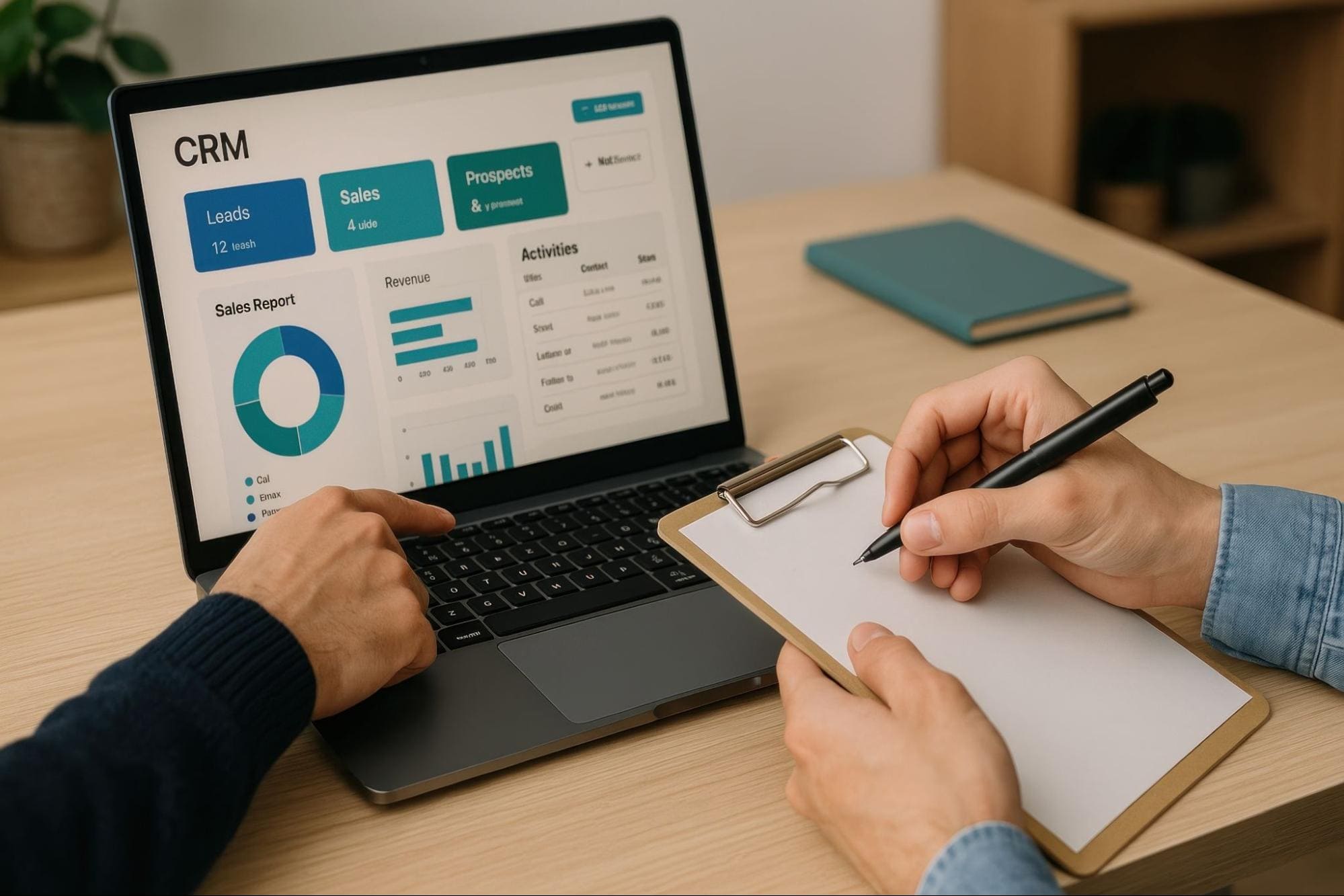
Choosing a CRM is about more than comparing features. The right solution should address your current business challenges while supporting future growth.
1. Assess Your Business Needs
Identify the problems you want your CRM to solve:
- Are sales teams struggling to track leads and follow up with prospects?
- Is customer information scattered across multiple systems or spreadsheets?
- Do different departments lack visibility into customer interactions?
- Are repetitive manual tasks slowing down productivity?
- Is it difficult to generate accurate reports and business insights?
2. Choose the Right CRM Platform
When evaluating CRM solutions, consider:
- Ease of use
- Scalability
- Cloud deployment
- AI capabilities
- Workflow automation
- Reporting and analytics
- Mobile accessibility
- Integration with existing business applications
- Security and compliance
- Vendor implementation and support
Choosing a CRM that aligns with your business processes and long-term goals will deliver greater value than selecting one based on cost alone.
3. Plan Your Data Migration
Your CRM is only as effective as the data it contains. Before moving customer information into your new system, take the time to clean and organize your existing data to ensure accurate reporting, better user adoption, and a smoother implementation.
Before migrating customer data:
- Remove duplicate records
- Update outdated information
- Standardize data formats
- Decide which historical data to migrate
Starting with clean, consistent data helps employees trust the system and enables more accurate reporting and customer insights.
4. Train Your Employees
Successful CRM implementation depends on user adoption, so it’s important to choose a provider that supports your business throughout the transition. Look for a vendor that offers:
- Role-based training for different departments
- Guidance on department-specific workflows
- Ongoing implementation, technical support, and user assistance
This helps employees build confidence with the new system and maximizes the value of your CRM investment.
5. Monitor, Improve, and Scale
Regularly review your CRM to ensure it continues meeting business needs:
- User adoption
- Workflow efficiency
- Reporting requirements
- Automation opportunities
- Customer feedback
- Business objectives
Following these steps helps ensure a smoother CRM implementation and maximizes the long-term value of your investment.
The Popular CRM Solution: Microsoft Dynamics 365 CRM
Once you’ve identified your business requirements, the next step is choosing a CRM platform that can grow with your business. Microsoft Dynamics 365 CRM is one of the most widely adopted solutions, combining AI-powered capabilities, workflow automation, and seamless integration with the Microsoft ecosystem.
Its modular design lets businesses deploy only the applications they need, while Microsoft Power Platform enables low-code customization and workflow automation.
The table below outlines the primary purpose and key capabilities of the core Dynamics 365 CRM applications:
Dynamics 365 CRM Application | Primary Purpose | Key Capabilities |
|---|---|---|
Dynamics 365 Sales | Manage the sales process from lead to close | Lead and opportunity management, sales pipeline tracking, AI-assisted selling, sales forecasting, quote and order management |
Dynamics 365 Customer Service | Deliver responsive customer support | Case management, knowledge base, omnichannel support, SLA management, AI-assisted case resolution |
Dynamics 365 Field Service | Manage on-site service operations | Intelligent scheduling, work order management, technician dispatch, mobile workforce management, and preventive maintenance |
Dynamics 365 Contact Center | Manage customer interactions across multiple channels | Voice, live chat, email, SMS, social messaging, AI-powered routing, and analytics |
Dynamics 365 Marketing | Unify customer data for personalized engagement | Customer segmentation, automated journeys, personalized communications, campaign performance tracking, customer behavior analytics |
Conclusion
Customer relationships are one of the most valuable assets a business can have, and a CRM helps you manage them more effectively. By centralizing customer information and streamlining business processes, CRM software enables better collaboration, improved customer experiences, and smarter decision-making.
Choosing a scalable CRM that integrates with your existing business applications can support long-term growth and maximize your investment. As a certified Microsoft Dynamics 365 partner, we can help you evaluate, implement, and optimize a CRM solution tailored to your business needs. Contact us today to learn how we can help you get the most from Microsoft Dynamics 365 CRM.
Frequently Asked Questions
1. Is CRM suitable for businesses of all sizes?
Yes. CRM software can benefit businesses of any size, from startups and SMEs to large enterprises. Smaller businesses often use CRM to organize customer information and manage sales, while larger organizations rely on CRM to coordinate customer interactions across multiple departments, locations, and teams.
2. How much does CRM software cost?
CRM software in Malaysia typically costs between RM45 and RM250+ per user, per month, depending on the platform, features, and number of users. For most Malaysian SMEs, this translates to a monthly software budget of around RM1,500 to RM3,000, excluding implementation and customization costs.
Beyond subscription fees, businesses should also budget for setup, data migration, system integration, user training, and any custom development required to meet their operational needs. As every implementation is different, it’s best to contact a certified CRM provider for a tailored quotation based on your business requirements.
3. How does CRM improve customer interactions across departments?
CRM centralizes customer information so that sales, marketing, customer service, and other departments work from the same customer record. This reduces duplicated work, improves communication, and enables employees to provide more consistent and personalized customer experiences.
4. Can CRM improve sales performance?
Yes. CRM helps sales teams track leads, manage opportunities, automate follow-ups, and monitor pipeline activity. Managers also gain better visibility into sales performance through dashboards, forecasting tools, and reporting, allowing them to identify opportunities and improve decision-making.
5. Can CRM improve customer service?
Yes. CRM gives support teams access to a customer’s complete interaction history, making it easier to resolve issues quickly and provide personalized assistance. Features such as case management, knowledge bases, workflow automation, and AI-powered recommendations can further improve service efficiency and customer satisfaction.
6. What is the difference between CRM and ERP?
CRM and ERP serve different but complementary purposes. A CRM (Customer Relationship Management) system focuses on customer-facing activities such as sales, marketing, and customer service, while an ERP (Enterprise Resource Planning) system manages internal operations like finance, inventory, procurement, and human resources.
When integrated, CRM and ERP create a connected business platform. Customer data, orders, inventory, and financial information flow seamlessly between systems, giving organizations a complete view of both customers and operations.