Introduction
As businesses grow, managing customer relationships becomes increasingly complex. Customer information may be spread across emails, spreadsheets, individual employees, and different business applications. Sales opportunities can be difficult to track, follow-ups may be missed, and customer service teams may not have a complete view of previous interactions.
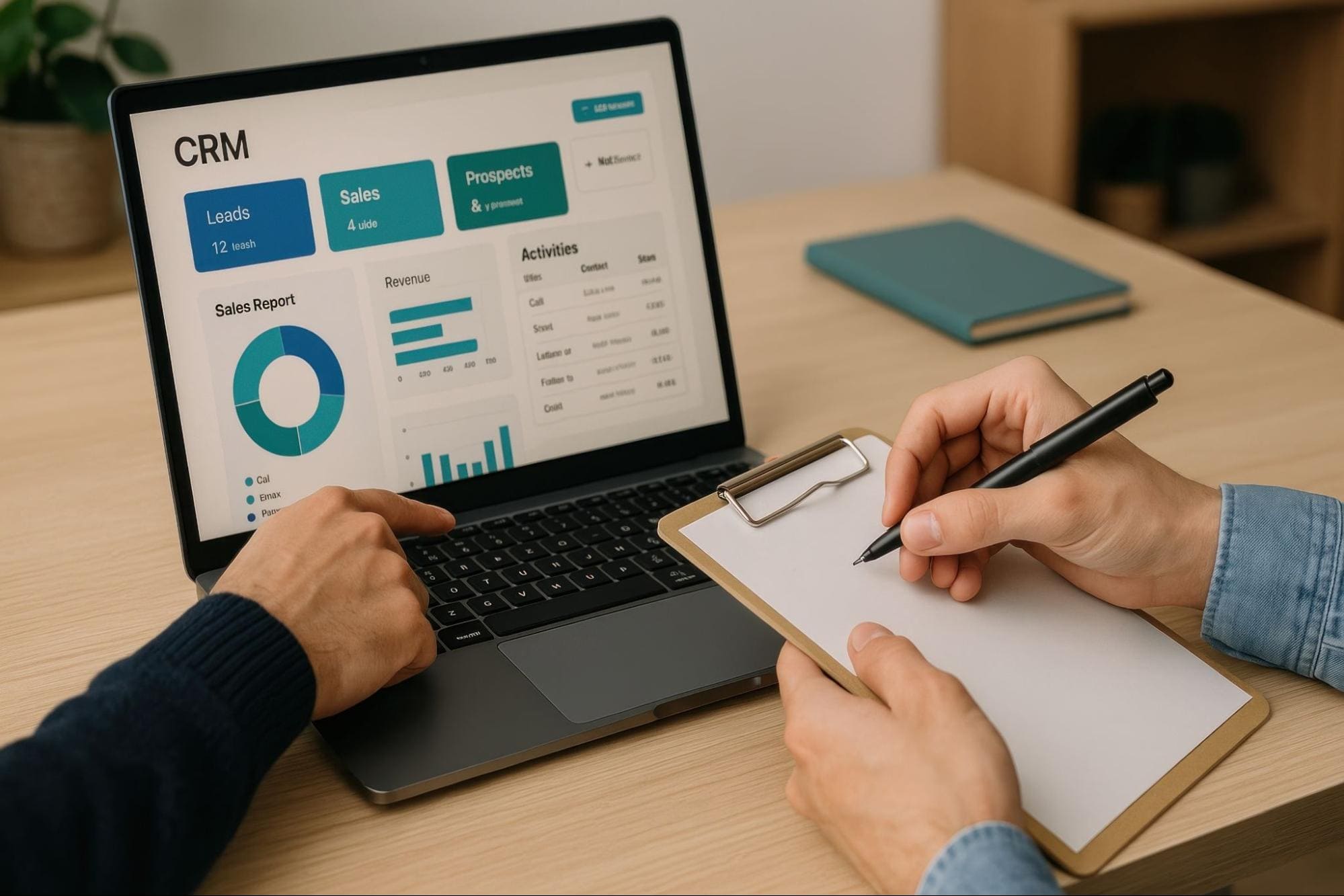
Customer Relationship Management (CRM) software brings this information together in a centralised platform, helping businesses manage customer relationships across sales, marketing, customer service, and other customer-facing activities.
Modern CRM platforms go beyond storing customer details. They can automate business processes, track sales opportunities, manage customer service cases, provide real-time insights, and increasingly use artificial intelligence (AI) to help employees work more efficiently.
This guide explains what CRM software is, how it works, its key capabilities and benefits, and how solutions such as Microsoft Dynamics 365 CRM can help businesses build stronger customer relationships and support long-term growth.
What Is CRM Software?
Customer Relationship Management (CRM) software is a business application that helps organisations manage customer information, interactions, and relationships throughout the customer lifecycle. 8
A CRM provides a central place to manage information about customers and prospects, including contact details, communications, sales opportunities, enquiries, service requests, activities, and other relevant information.
Instead of customer information being scattered across spreadsheets, emails, personal records, and separate systems, CRM enables different teams to work from shared customer information.
Depending on the CRM solution and how it is implemented, this can give sales, marketing, customer service, and management teams a more complete view of each customer and their interactions with the organisation.
CRM is therefore more than a digital address book. It provides a structured platform for managing customer-facing processes and turning customer information into meaningful business actions.
Why Do Businesses Need CRM Software?

Many businesses begin by managing customers through spreadsheets, email, shared folders, accounting systems, or individual employees’ records. These methods may work when the organisation is small, but they become increasingly difficult to manage as the number of customers, employees, enquiries, and transactions grows.
- Customer information stored across multiple systems
- Missed sales opportunities and follow-ups
- Limited visibility into the sales pipeline
- Duplicate or inconsistent customer records
- Customer knowledge residing with individual employees
- Marketing and sales teams working from different information
- Customer service teams lacking visibility into previous interactions
- Manual and repetitive administrative work
- Difficulty producing timely management reports
- Communication gaps between departments
CRM software helps address these challenges by creating a more structured way to manage customer information and customer-facing processes. Rather than relying on employees to manually piece together information from different sources, CRM provides a shared platform where customer activities can be recorded, tracked, managed, and analysed.
This becomes particularly important as a business grows and more people become involved in managing the customer relationship.
How Does CRM Software Work?
CRM software creates a centralised environment for capturing and managing customer-related information and activities.
The process typically begins when a prospect or customer interacts with the business. This could happen through a website enquiry, email, telephone call, marketing campaign, sales representative, customer service request, or another communication channel.
Information from these interactions can be recorded against the relevant customer or prospect. From there, CRM can support different business processes. A sales enquiry may become a lead and later an opportunity. A marketing interaction may trigger a customer journey or follow-up activity. A customer issue may become a service case that is assigned to the appropriate employee.
As these activities take place, the CRM builds a history of the relationship. This allows authorised employees to understand important information such as:
- Who the customer is
- Previous communications and activities
- Current sales opportunities
- Products or services of interest
- Outstanding customer enquiries
- Previous service cases
- Scheduled meetings and follow-ups
- Relevant documents and notes
Workflow automation can then help trigger activities, notifications, assignments, approvals, and other actions based on predefined business rules. Dashboards, reports, analytics, and AI capabilities can further help organisations understand customer behaviour, sales performance, service trends, and other information contained within the CRM.
Customer Data → Customer Interactions → Business Processes → Automation → Insights → Action
Core Capabilities of CRM Software
CRM platforms vary considerably in functionality, but modern CRM solutions generally provide capabilities across several key areas.
1. Customer and Contact Management
At the heart of CRM is a centralised customer database. Businesses can maintain customer and prospect information such as:
- Contact details
- Company information
- Communication history
- Meetings and activities
- Notes and documents
- Customer preferences
- Sales opportunities
- Service history
Having this information available from a common platform helps employees understand the customer’s relationship with the organisation before engaging with them. It also reduces dependence on individual employees maintaining separate customer records.
2. Sales Management
CRM helps sales teams manage prospects and opportunities throughout the sales cycle. Typical capabilities include:
- Lead management
- Opportunity management
- Sales pipeline tracking
- Activity and follow-up management
- Account and contact management
- Sales forecasting
- Quotation management
- Sales performance reporting
Sales representatives can track where opportunities are within the sales process, while managers gain greater visibility into the overall pipeline and sales activities. This helps organisations establish more consistent sales processes while reducing the risk of opportunities being overlooked.
3. Marketing and Customer Engagement
CRM and customer engagement platforms can help businesses use customer information to create more relevant and targeted communications. Depending on the solution, capabilities can include:
- Customer segmentation
- Marketing campaigns
- Email communications
- Customer journeys
- Lead nurturing
- Event management
- Personalised communications
- Campaign analytics
Connecting marketing activities with customer information can also improve alignment between marketing and sales by providing greater visibility into how prospects engage with the organisation.
4. Customer Service Management
Customer relationships continue after a sale has been completed. CRM can provide customer service teams with the information and tools needed to manage enquiries, requests, and issues more effectively. Typical capabilities can include:
- Case management
- Customer enquiries
- Service history
- Knowledge management
- Service-level agreements
- Queue and workload management
- Escalation processes
- Customer communication
- Service reporting
Because previous interactions can be associated with the customer record, service representatives have greater context when responding to an enquiry. This can help improve response times, consistency, and the overall customer experience.
5. Workflow and Process Automation
Many customer-facing activities involve repetitive administrative tasks. CRM software can automate or streamline processes such as:
- Assigning leads
- Creating follow-up activities
- Sending notifications
- Updating records
- Escalating service cases
- Routing customer requests
- Managing approvals
- Triggering communications
- Guiding employees through defined business processes
Automation reduces the amount of manual administration required while helping employees follow consistent processes. It can also reduce the risk of important activities being missed.
6. Reporting, Analytics and AI
CRM systems contain valuable information about customers, prospects, sales activities, and service interactions. Dashboards and reports can help organisations monitor areas such as:
- Sales pipeline
- Sales performance
- Conversion rates
- Customer service performance
- Customer trends
- Marketing engagement
- Team activities
- Forecasts
AI is increasingly extending these capabilities. Depending on the CRM platform, AI can help employees summarise customer information, prepare for meetings, draft communications, identify relevant information, analyse customer data, recommend actions, and automate routine activities. The objective is not simply to collect more customer data, but to help employees use that information more effectively.2, 3, 5
What Are the Benefits of CRM Software?

Stronger Customer Relationships
Employees can access relevant customer information and previous interactions before engaging with a customer. This helps businesses provide more informed, consistent, and personalised interactions.
Improved Sales Productivity
CRM gives sales teams a structured way to manage leads, opportunities, activities, and follow-ups. Automation can reduce administrative work, allowing sales representatives to spend more time engaging prospects and customers.
Better Customer Service
Customer service teams can access customer history, previous cases, communications, and other relevant information from a common platform. This provides greater context when resolving customer enquiries and issues.
Better Collaboration
When sales, marketing, and customer service teams work from shared customer information, there is less need to maintain separate records or repeatedly request information from other departments. This helps improve coordination throughout the customer lifecycle.
Greater Business Visibility
CRM dashboards and reports provide management with greater visibility into customer-facing activities. Businesses can monitor sales pipelines, opportunities, customer service performance, customer trends, and other key indicators without relying entirely on manually prepared reports.
More Consistent Business Processes
Defined workflows and business processes help employees follow a consistent approach to activities such as lead qualification, sales opportunities, customer follow-ups, case management, and approvals.
Improved Scalability
Processes based heavily on spreadsheets, emails, and individual employees become increasingly difficult to manage as transaction volumes and teams grow. A scalable CRM platform provides a structured foundation that can evolve as customer volumes, employees, products, services, and business requirements change.
Who Can Benefit from CRM Software?
Small Businesses
For smaller businesses, CRM can provide a central place to maintain customer information, track enquiries, manage leads, and schedule follow-ups. Introducing structured customer management early can also reduce dependence on spreadsheets and individual employees as the business grows.
Growing SMEs
As an SME expands, the number of customers, employees, sales opportunities, and customer interactions typically increases. CRM can help growing businesses standardise customer-facing processes, improve collaboration between departments, automate routine activities, and provide management with greater visibility.
Mid-Sized Businesses and Enterprises
Larger organisations may need to manage customer relationships across multiple departments, teams, products, locations, and business entities. CRM can support more sophisticated sales processes, customer service operations, automation, analytics, security requirements, and integration with other enterprise applications.
The key consideration is therefore not simply the size of the organisation, but the complexity of its customer relationships and business processes.
CRM Across Sales, Marketing and Customer Service
Sales
Sales teams use CRM to manage accounts, contacts, leads, opportunities, activities, and pipelines. CRM can provide sales representatives with a structured process for progressing opportunities while giving managers greater visibility into pipeline health, sales activities, and forecasts.
Marketing
Marketing teams can use customer information to create audience segments, manage campaigns and journeys, nurture prospects, and measure engagement. When marketing and sales share customer information, sales representatives can also gain greater context about how prospects have interacted with the organisation.
Customer Service
Customer service teams use CRM to manage customer enquiries, cases, service history, knowledge, and service performance. Connecting service information with the wider customer record helps representatives understand the customer’s history and provides greater continuity across the relationship.
Together, these capabilities can create a more connected customer journey from initial engagement through sales and ongoing service.
What Is Microsoft Dynamics 365 CRM?
Microsoft Dynamics 365 CRM is a term commonly used to describe Microsoft’s Dynamics 365 customer engagement applications. Rather than being a single CRM application, Dynamics 365 is a set of intelligent business applications designed to work individually or together, including applications supporting sales, customer service, field service, contact centre operations, and customer insights.1
Organisations can implement the applications that match their requirements and extend the solution as business needs evolve.
A key advantage of the Dynamics 365 approach is its connection with the wider Microsoft technology ecosystem, including Microsoft 365, Outlook, Teams, Power Platform, Power BI, Dataverse, Copilot, and other Microsoft cloud services. This enables organisations to build CRM capabilities as part of a broader business platform rather than operating customer management as an isolated system.1, 2, 3
Key Microsoft Dynamics 365 CRM Applications
Microsoft Dynamics 365 Sales

Dynamics 365 Sales helps salespeople manage customer relationships and the sales process, including accounts and contacts and the progression of sales from lead to order.2
- Account and contact management
- Lead management
- Opportunity management
- Sales activities
- Pipeline management
- Sales forecasting
- Quotes and orders
- Sales insights
- AI-assisted selling
By bringing customer information, sales activities, and opportunities together, Dynamics 365 Sales helps sales teams manage relationships more systematically while giving managers greater visibility into sales performance.
Microsoft Dynamics 365 Customer Service

Dynamics 365 Customer Service supports end-to-end customer support processes, including cases, interaction history, knowledge management, unified routing, service-level agreements, analytics, and AI-assisted service.3
- Case management
- Knowledge management
- Queues
- Service-level agreements
- Entitlements
- Routing
- Customer interaction history
- Analytics and dashboards
- AI-assisted service
It helps service representatives access customer context and relevant information while managing cases and customer interactions through structured service processes.
Microsoft Dynamics 365 Field Service

Dynamics 365 Field Service is designed for organisations that deliver onsite service to customer locations. Microsoft describes the application as combining workflow automation, scheduling algorithms, and mobility to support mobile workers in the field.4
- Work orders
- Scheduling and dispatch
- Field technicians
- Customer assets
- Inspections
- Preventive maintenance
- Mobile field service
- Service history
- AI-assisted field operations
This can be particularly valuable for organisations that install, maintain, inspect, or repair equipment at customer locations.
Microsoft Dynamics 365 Contact Center

Dynamics 365 Contact Center is a Copilot-first, cloud-based contact centre product that supports customer engagement across voice and digital channels, with capabilities such as unified routing, self-service, AI assistance, analytics, and conversation summarization.5
- Voice and digital channels
- Intelligent routing
- Self-service
- Customer interaction management
- Agent assistance
- Conversation summaries
- Analytics
- AI-powered automation
Microsoft Dynamics 365 Customer Insights

Dynamics 365 Customer Insights includes Customer Insights – Data and Customer Insights – Journeys. Customer Insights – Data helps organisations unify customer data and build comprehensive customer profiles, while Customer Insights – Journeys supports automated, personalised customer journeys using trigger-based and segment-based engagement.6, 7
- Unify customer data
- Create customer profiles
- Build customer segments
- Analyse customer behaviour
- Create real-time customer journeys
- Personalise communications
- Automate customer engagement
- Use AI to support customer insights and engagement
How Dynamics 365 CRM Connects with the Microsoft Business Platform

Microsoft 365 and Outlook
Dynamics 365 can work with familiar productivity applications such as Outlook, helping users manage customer communications and CRM activities within their everyday working environment.9
Microsoft Teams
Teams integration can help employees collaborate around customers, opportunities, and service issues while connecting conversations with relevant business information.2
Microsoft Power Platform
Power Platform extends Dynamics 365 through technologies such as Power Apps and Power Automate. Organisations can build additional applications, automate workflows, and adapt processes to meet specific business requirements.10
Microsoft Power BI
Power BI can extend CRM reporting and analytics by combining customer information with other business data to create interactive dashboards and management insights.10
Microsoft Copilot
Microsoft continues to introduce Copilot and AI capabilities across Dynamics 365. Depending on the Dynamics 365 application and licensing, AI can assist with activities such as summarising information, drafting communications, analysing information, and supporting users with relevant actions.2, 3, 5
Microsoft Dynamics 365 Business Central
For organisations using Microsoft Dynamics 365 Business Central for ERP, CRM and ERP can work together to connect customer-facing activities with operational and financial processes. For example, sales teams may manage prospects and opportunities within CRM while Business Central manages areas such as finance, purchasing, inventory, order processing, projects, and other operational processes.11
CRM and ERP: What Is the Difference?
CRM and ERP address different areas of the business, but they are complementary.
CRM primarily focuses on customer-facing processes such as:
- Sales
- Marketing
- Customer engagement
- Customer service
- Field service
ERP primarily focuses on operational and financial processes such as:
- Finance
- Purchasing
- Inventory
- Supply chain
- Warehousing
- Manufacturing
- Projects
When CRM and ERP are connected, information can flow between customer-facing and operational processes. For example, a sales opportunity managed in CRM may eventually result in an order that needs to be fulfilled, invoiced, and accounted for through ERP.
A connected approach can provide employees with better visibility while reducing duplicate data entry between departments.
How to Choose the Right CRM Software
Business Requirements
Identify the customer-related challenges that need to be addressed. Are sales opportunities difficult to track? Are follow-ups frequently missed? Is customer information spread across multiple systems? Do sales and service teams lack visibility into customer interactions? Clear requirements make it easier to evaluate whether a CRM solution addresses genuine business needs.
Scalability
Consider whether the CRM can support future growth in users, customers, processes, locations, and business requirements. A platform that meets today’s requirements but cannot evolve with the organisation may create additional costs later.
Integration
CRM rarely operates in isolation. Consider how the platform will connect with email, collaboration tools, ERP, finance, websites, customer portals, business intelligence, and other important systems.
Automation and AI
Evaluate which repetitive processes can be automated and where AI could provide practical business value. The objective should be to improve productivity and decision-making rather than adopting technology simply because it is available.
Security and Compliance
CRM contains valuable customer and business information. Organisations should evaluate security, access controls, data protection, compliance, auditability, and the underlying cloud platform as part of the selection process.
Implementation and Support
Technology is only one part of a successful CRM project. The implementation partner should also understand business processes, data migration, integration, user adoption, training, and ongoing support.
How to Successfully Implement CRM
1. Define Business Objectives
Establish what the organisation wants to achieve through CRM. Objectives may include improving sales visibility, increasing productivity, strengthening customer service, reducing manual work, or creating a more complete customer view.
2. Review Existing Processes
Understand how sales, marketing, and customer service processes currently operate. This helps identify inefficiencies and determine which processes should be improved rather than simply reproducing existing practices in a new system.
3. Prepare Customer Data
Customer information should be reviewed before migration. This may involve removing duplicate records, correcting outdated information, standardising formats, identifying required historical information, and establishing data ownership.
4. Configure and Integrate the Solution
The CRM should be configured around agreed business requirements and integrated with relevant business applications. Where possible, organisations should balance configuration and customisation carefully to maintain simplicity and support future upgrades.
5. Train Users and Drive Adoption
CRM only creates value when employees use it consistently. Training should therefore focus not only on system functions, but also on how CRM supports each employee’s role and day-to-day processes.
6. Review and Improve
CRM requirements continue to evolve as the business changes. Organisations should regularly review user adoption, workflows, automation opportunities, reporting requirements, customer feedback, and business objectives to identify areas for improvement.
Signs Your Business May Need CRM Software
Not every organisation needs to implement CRM at the same stage of growth. However, there are several common signs that existing customer management processes are becoming difficult to sustain:
- Customer information is maintained in multiple spreadsheets
- Salespeople keep their own customer records
- Follow-ups are frequently missed
- Management has limited visibility into the sales pipeline
- Different departments maintain different versions of customer information
- Customer service representatives cannot easily see previous interactions
- Reporting requires significant manual effort
- Employees spend too much time on repetitive administrative tasks
- Customer knowledge is lost when employees leave
- Existing systems cannot support growing customer volumes or processes
If several of these challenges are familiar, implementing CRM may provide a more structured foundation for managing customer relationships and supporting future growth.
Conclusion
CRM software provides businesses with a structured platform for managing customer information, sales opportunities, customer engagement, service interactions, and other customer-facing processes.
By bringing customer information together, CRM can help organisations improve collaboration, increase productivity, strengthen customer relationships, and gain greater visibility across the customer lifecycle.
Microsoft Dynamics 365 extends these capabilities through specialised applications for Sales, Customer Service, Field Service, Contact Center, and Customer Insights, which can be adopted individually or together as part of the wider Dynamics 365 platform.1
For Malaysian organisations looking to move beyond spreadsheets, disconnected customer records, or standalone CRM applications, Microsoft Dynamics 365 provides a scalable platform that can evolve alongside changing business requirements.
As a certified Microsoft Dynamics Partner in Malaysia, ML IT Partners helps organisations assess, implement, integrate, and optimise Microsoft Dynamics 365 CRM solutions based on their business processes and customer engagement requirements.
Frequently Asked Questions
1. What does CRM stand for?
CRM stands for Customer Relationship Management. It refers to the strategies, processes, and technology businesses use to manage relationships and interactions with customers and prospects. CRM software provides a central platform for managing customer information, sales opportunities, communications, service interactions, and related activities.
2. Is CRM suitable for SMEs?
Yes. CRM can benefit businesses of different sizes, including SMEs. For growing businesses, CRM can provide a more structured alternative to managing customer information through spreadsheets, emails, and individual employee records. It can also help standardise sales and service processes as the organisation expands.
3. What is Microsoft Dynamics 365 CRM?
Microsoft Dynamics 365 CRM is a commonly used term for Microsoft’s customer engagement applications within Dynamics 365. These include applications such as Dynamics 365 Sales, Customer Service, Field Service, Contact Center, and Customer Insights. Organisations can implement the applications that meet their requirements and extend the platform as their needs evolve.
4. Can CRM improve sales and customer service?
Yes. CRM can help sales teams manage leads, opportunities, activities, follow-ups, and pipelines through a structured process. It can also give customer service teams access to customer information, previous interactions, cases, and relevant knowledge, helping them manage enquiries more consistently.
5. What is the difference between CRM and ERP?
CRM primarily manages customer-facing processes such as sales, marketing, and customer service, while ERP manages operational and financial processes such as finance, purchasing, inventory, supply chain, manufacturing, and projects. When CRM and ERP are integrated, organisations can connect customer-facing activities with the operational processes required to fulfil and account for those transactions.
6. How do I choose the right CRM implementation partner?
Look for a partner that combines CRM technology expertise with an understanding of business processes. A suitable implementation partner should be able to support requirements analysis, solution design, configuration, data migration, integration, training, deployment, and post-implementation support while helping the organisation avoid unnecessary complexity.
References
- Microsoft Learn, What is Dynamics 365?
- Microsoft Learn, Welcome to Dynamics 365 Sales
- Microsoft Learn, Welcome to Dynamics 365 Customer Service
- Microsoft Learn, Overview of Dynamics 365 Field Service
- Microsoft Learn, Dynamics 365 Contact Center overview
- Microsoft Learn, Product overview for Dynamics 365 Customer Insights – Data
- Microsoft Learn, Customer Insights – Journeys overview
- Microsoft Dynamics 365, What is CRM?
- Microsoft Learn, Synchronization between customer engagement apps and Outlook
- Microsoft Learn, Extend Dynamics 365 apps with Power Platform and Copilot Studio
- Microsoft Learn, Integrating Business Central with Dynamics 365 Sales