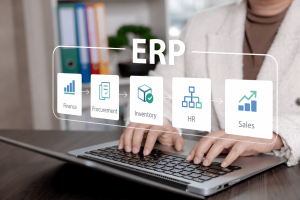
Many small and mid-sized businesses begin their digital journey with a simple setup: a basic accounting system supported by numerous Excel spreadsheets.
The accounting system typically handles core financial functions such as:
- General ledger
- invoicing
- accounts receivable and payable
- financial reporting
Meanwhile, Excel spreadsheets are used to manage operational activities like:
- sales tracking
- inventory monitoring
- purchasing records
- budgeting and forecasting
- operational reporting
This combination works well during the early stages of a business. However, as companies grow, relying heavily on spreadsheets outside the accounting system often leads to fragmented data, manual processes, and operational inefficiencies.
Over time, businesses begin to experience limitations that affect productivity, decision-making, and scalability. These challenges often indicate that it is time to move beyond spreadsheets and basic accounting tools toward a fully integrated Enterprise Resource Planning (ERP) system.
Below are 10 common signs that your accounting system and spreadsheets are no longer sufficient for managing your growing business.
1. Your Accounting System Is Only Used for Book Keeping
Many small businesses implement accounting software primarily for book keeping and compliance purposes.
While these systems handle financial transactions effectively, they often lack capabilities for managing operational processes such as inventory, purchasing, or sales tracking.
As a result, most operational data remains outside the accounting system in Excel spreadsheets. This creates a disconnect between operational activities and financial reporting.
An ERP system integrates finance with operations so that business transactions automatically update financial records in real time.
2. You Maintain Too Many Excel Spreadsheets
As businesses expand, different departments often create their own spreadsheets for managing daily operations.
Examples include:
- sales tracking spreadsheets
- inventory control spreadsheets
- purchasing records
- operational reports
Over time, the number of spreadsheets grows significantly, making it difficult to manage and maintain data accuracy.
Employees may spend more time consolidating data from various spreadsheets than actually performing productive work.
ERP systems centralize all business data within a single platform, eliminating the need for multiple disconnected spreadsheets.
3. Manual Data Entry Is Consuming Too Much Time
When accounting systems and spreadsheets operate separately, employees often need to manually transfer data between them.
Examples include:
- entering sales data into spreadsheets and later re-entering it into the accounting system
- manually updating inventory records after transactions
- copying information between multiple spreadsheets
This repetitive work increases administrative workload and introduces a higher risk of human error.
ERP systems automate these processes by allowing data to flow seamlessly across departments.
4. Inventory Tracking Is Difficult or Inaccurate
For businesses dealing with products, inventory management is one of the most challenging areas when relying on spreadsheets.
Common problems include:
- inconsistent stock records
- lack of visibility across multiple locations
- unexpected stock shortages
- excess inventory levels
Without an integrated system, businesses often struggle to maintain accurate inventory information.
ERP systems provide integrated inventory management that tracks stock movements, replenishment needs, and warehouse activity in real time.

5. Financial Reporting Requires Too Much Effort
Finance teams frequently spend significant time consolidating information from different spreadsheets before producing financial reports.
Month-end closing may involve:
- reconciling data from multiple sources
- verifying spreadsheet formulas
- correcting inconsistencies between operational data and financial records
These processes can delay financial reporting and reduce confidence in the accuracy of the data.
ERP systems streamline financial reporting by consolidating operational and financial information within a single platform.
6. There Is No Real-Time Visibility into Business Performance
Spreadsheets typically provide static data that quickly becomes outdated.
Managers often rely on reports generated days or weeks after the actual transactions occur.
This delay limits the ability to respond quickly to changes in the business environment.
ERP systems provide real-time dashboards and analytics that allow management teams to monitor performance and make faster, data-driven decisions.
7. Collaboration Across Departments Is Difficult
When multiple employees work on spreadsheets, collaboration challenges often arise.
Typical issues include:
- multiple versions of the same spreadsheet
- confusion about which file contains the latest data
- accidental overwriting of information
Sharing spreadsheets via email or file storage systems can create additional complexity.
ERP platforms enable multiple users to access and update data within a centralized system, improving collaboration and data consistency.
8. Business Processes Are Not Standardized
Spreadsheets offer flexibility but often lead to inconsistent processes across departments.
Examples include:
- different sales tracking methods
- inconsistent purchasing procedures
- varying reporting formats
Without standardized processes, it becomes difficult to maintain operational efficiency and governance.
ERP systems enforce structured workflows and standardized processes across the organization.
9. Spreadsheets Are Error-Prone
Even minor errors in spreadsheets can have significant consequences.
Examples include:
- incorrect financial calculations
- inaccurate pricing or order quantities
- misreported inventory levels
Because spreadsheets rely heavily on manual input and formulas, these errors can remain undetected for long periods.
ERP systems reduce these risks by implementing controlled data structures and automated validations.
10. Your Business Is Growing Faster Than Your Systems
As businesses grow, operational complexity increases significantly.
More customers, transactions, products, and employees place additional pressure on systems that were originally designed for smaller operations.
Spreadsheet-based processes often struggle to support:
- higher transaction volumes
- multi-location operations
- complex reporting requirements
ERP systems are designed to scale with business growth, providing a structured and integrated platform capable of supporting expanding operations.
Moving from Accounting + Excel to an Integrated ERP Platform

While basic accounting systems and spreadsheets are useful tools, they were never designed to manage the full complexity of modern business operations.
As companies grow, they require systems that can integrate multiple functions across the organization, including:
- finance
- sales
- inventory
- purchasing
- operations
- reporting and analytics
An Enterprise Resource Planning (ERP) system provides this integration, allowing businesses to move from fragmented processes to a unified platform.
Cloud-based ERP solutions such as Microsoft Dynamics 365 Business Central help organizations streamline operations, automate processes, and gain real-time visibility across the entire business.
Conclusion
Many growing businesses eventually reach a stage where their existing systems — consisting of a basic accounting application supported by numerous spreadsheets — are no longer sufficient.
When manual processes increase, data becomes fragmented, and reporting becomes more complex, it may be time to consider a more integrated solution.
By implementing an ERP system, organizations can replace disconnected spreadsheets with a unified platform that supports operational efficiency, improves decision-making, and enables long-term business growth.